

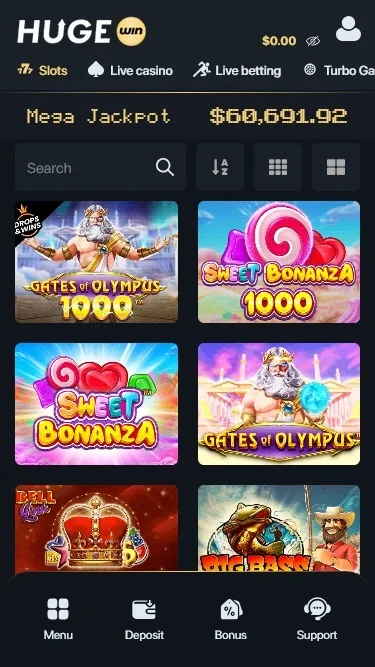
How to log in
- Open HugeWinUse the button on this page or the app. Never type your password into a page reached from a chat or an ad.
- Tap LoginIt’s at the top right, next to Join.
- Enter your detailsUse the email or phone number on your account, plus your password.
- Enter your 2FA code if askedTake the current code from your authenticator app.
Reset a forgotten password
- Choose the password reset optionYou’ll find it on the login form.
- Enter your emailUse the address you registered with.
- Follow the emailed link or codeCheck spam too, and wait a few minutes before asking again.
- Set a new passwordPick one you don’t use anywhere else.
Common login errors
| What you see | What to try |
|---|---|
| Wrong password | Check the keyboard language and Caps Lock, then reset it. |
| 2FA code rejected | Set your phone’s clock to automatic. Codes depend on the exact time. |
| Lost 2FA device | Contact live chat. Expect to prove your identity. |
| No verification email | Look in spam, then confirm with support which address is on file. |
| Page loads badly or loops | Clear the browser cache for the site or try another browser. |
| Account paused | An active “Take a Break” can’t be reversed until it ends. |
If the site is blocked
A block usually comes from your network or from a national restriction. HugeWin’s terms already list Nepal as a restricted country, so a block may be doing exactly what it was set up to do.
We don’t give instructions for getting around blocks. HugeWin’s terms say it isn’t liable for problems arising from VPN use from a restricted country, so using one puts your balance at risk. Avoid “mirror” links from chats and ads as well: copies of casino login pages are a common way to steal passwords and coins.
What you can safely do: check your connection and email support@hugewin.com about your balance. See the status note for the wider picture.
Keep the account safe
- Turn on 2FA with an authenticator app in your account settings.
- Use a password you use nowhere else, and never share your codes with anyone.
- Check your login history in the account for sign-ins you don’t recognise.
- Double-check withdrawal addresses, because crypto transfers can’t be undone.
Installing on a phone? See the app guide. New to the site? Start with registration.
Responsible gambling
Playing is for adults (18+) and is never a way to earn money or win back losses. Only stake what you can afford to lose completely.
- Limits: account settings offer deposit, loss and bet limits per day, week or month.
- Time-outs: “Take a Break” pauses the account for 24 hours, 2 days, 1 week, or 1, 3 or 6 months. It cannot be reversed until it ends.
- Self-exclusion: ask support at support@hugewin.com or in live chat to close access for longer.
Free, confidential help in English: GamCare, BeGambleAware and Gamblers Anonymous, linked at the bottom of this page. If gambling is hurting you or your family, speak to someone you trust today.
Questions and answers
What can I use to log in to HugeWin?
The email or phone number on your account and your password, plus a 2FA code if you turned it on.
Why doesn’t my 2FA code work?
The most common cause is a phone clock that’s out of sync. Set the time to automatic and try a fresh code.
How long does a password reset take?
The email usually arrives within minutes. If it doesn’t, check spam and then contact support.
What if HugeWin won’t open from my network?
It may be blocked locally. We don’t explain workarounds; email support@hugewin.com about any balance you hold.
Can I log in during a “Take a Break” period?
No. The account stays paused until the period ends, and your balance is frozen during that time.